
- TypingClub allows you to learn typing from any browser, without installations and with multiple adaptive levels.
- The gamification system, visual guidance, and accessibility options make it suitable for users of all ages and needs.
- It offers editions for schools and teachers, with automatic reports, level tests and materials adapted to the Spanish curriculum.
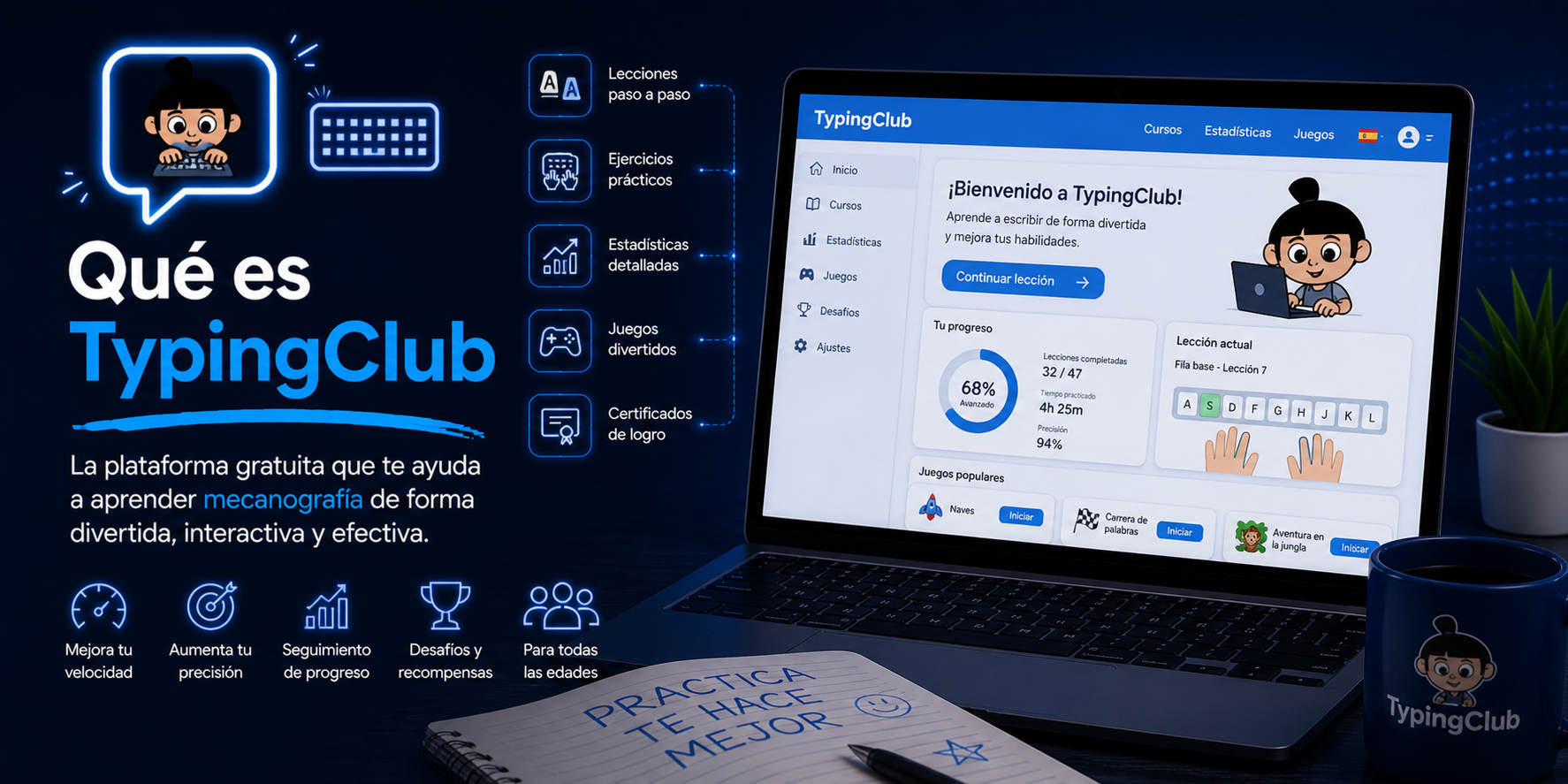
More and more people are looking to improve their typing speed and accuracy, whether for academic or professional purposes, or simply for convenience in daily life. One of the most frequently asked questions online is: what is TypingClub and is it really worth using to learn to type? In a world where productivity and time management take precedence over everything else, to know how to use the keyboard skillfully It has become an indispensable skill. But what options are available, and why does this platform stand out from the rest?
In this article we will break down in detail everything related to TypingClub, a tool acclaimed for its accessible, gamified approach and its ability to adapt to both individuals and schools. If you've been considering improving your typing skills, whether you're a student, preparing for competitive exams, a teacher, or a professional who spends hours at the keyboard, here you'll find all the information you need to decide if this service can make a difference in your learning. We delve into its most outstanding features, the advantages it offers, the requirements to get started, and everything related to the real user experience.
What is TypingClub?
TypingClub is an online platform designed to teach typing from scratch and to perfect the technique of those who already have experience. It is an interactive system for learning to write with ten fingers, fully accessible from any modern browser, without having to install programs or depend on specific devices.
The key to their success lies in a progressive and motivating approach. From the beginning, each lesson guides you step by step, reinforcing muscle memory with exercises organized by thematic blocks. You can choose your learning language, which is ideal for those looking to master Spanish typing, including the peculiarities of the Spanish keyboard such as accents or the "ñ".
Visit your Official site to check all the options it offers.
How does TypingClub work?
TypingClub is designed to be intuitive and even addictive. The lessons are divided into thematic units, with progressively increasing levels of difficulty and clear objectives. The user must complete each block to reach a minimum number of stars, thus preventing mistakes from lingering and ensuring technique is consolidated before speed.
Registration is not required to begin.You can practice without creating an account and the platform saves your progress locally; if you later register, your progress is synchronized between devices, an advantage for those who frequently change equipment.
Each session includes:
- Interactive exercises with immediate feedbackThe system corrects in real time, displays speed statistics, and offers you the option to repeat lessons to improve your results.
- Visual guide to hand postureYou'll see a very intuitive on-screen representation of where to place each finger.
- Records of your past practices so you can review them and identify patterns of failure.
- Motivational tools such as badges, stars, audiovisual materials and games that provide dynamism and consistency.
- Options to adjust the practice, for example if you want to work exclusively on texts with accented vowels or words with "ñ", ideal for overcoming typical difficulties in Spanish.
In addition, it includes audio recordings of the words to be written, thematic routes such as Typing Jungle, and age-appropriate materials, thus facilitating the work for both self-taught individuals and teachers of any educational level.
Requirements to get started with TypingClub
One of the best things about TypingClub is that you hardly need any technical requirements. All you need is access to an updated browser (Chrome, Firefox, Safari, Edge…) and a stable internet connection.
- For users in Spain or those who need to work with “ñ” and accent marks, it is It is essential to configure the physical keyboard and operating system to Spanish (ES) layout. From the beginning.
- You can practice without a personal account If you prefer, but if you decide to create it, your progress will be saved in the cloud, accessible from any device and protected with a logout to avoid privacy issues if you share a computer.
- If you are a teacher or head of a center, you have the option to access the school edition y Request a free 60-day trial to evaluate its advanced features, class controls, and automatic report generation.
Main features of TypingClub
The range of tools integrated into TypingClub goes far beyond traditional typing platforms. Particularly noteworthy are:
- Levels and star progressionYou only progress when you consolidate accuracy, avoiding the acquisition of bad habits.
- Immediate feedbackEvery mistake or success is reflected instantly, facilitating self-analysis.
- Games and videosThe experience is not limited to boring texts; it includes playful elements that make the practice more enjoyable.
- Animated hand guide, visual indicators, and the ability to repeat previous attempts to improve technique.
- Practice modes by difficulty, age and even by subject areas, such as business, literature, etc.
Accessibility and customization options
One of the areas TypingClub has focused on most is accessibility. It features multiple configurations that allow you to tailor the experience to individual needs, including:
- High visibility and contrast for users with low vision or blindness, along with extra-large fonts and guided narration.
- Fonts specially designed for dyslexics.
- Subtitles in the videos designed for users with hearing problems.
- Virtual guide adapted for people who can only use one hand (left or right).
- Options to disable or activate specific lessons, games, or visual elements based on the user's profile.
Accessibility settings are available for both teachers and students, and each configuration creates an environment tailored to individual needs, preventing the exclusion of any student.
Main advantages of using TypingClub
TypingClub's advantages over other similar platforms are noticeable from the start.
- Visible acceleration in speed and accuracyBy working on measurable goals, improvement is noticeable as early as the second week of regular practice.
- Systematic trainingThe block structure, automatic reinforcement of weak points, and progression only if you achieve high success rates allows you to acquire a solid and sustainable technique over time.
- Reproduction of previous practices to identify and correct recurring errors, for example the confusion between “ñ” and “´”.
- Adapted to real-world contexts in SpainIdeal for students, those preparing for competitive exams, writers, administrative staff, or anyone who needs to optimize the preparation of reports and official emails.
- Reduces eyestrain and allows you to focus on the content instead of the form, eliminating constant distractions from searching for keys.
- Progress statistics and charts to motivate you and check your progress over the weeks.
Usefulness in the school and professional field
TypingClub is especially appreciated in educational centers and offices. The school edition includes specific features such as:
- Creation of custom classes and assignment of courses according to level.
- Setting weekly time goals (e.g., 60 minutes of cumulative practice).
- Initial assessments to personalize course blocks with placement tests based on prior knowledge.
- Automatic reports for teachers, detailing practice time, keys mastered, speed, and most common errors.
- Ability to issue certificates of achievement and generate information letters for families.
- Integration with institutional Google and Microsoft 365 accounts, facilitating access for students and teaching staff.
Specific documentation on privacy and data protection is available from EdClub, the company responsible for the platform, and can be accessed on its related websites.
Gamification, motivation and interactive experience
One of TypingClub's strengths is turning learning into a fun and motivating experience. The gamified system rewards consistency with badges, achievement rewards, and the opportunity to unlock additional challenges. With over 600 levels and a diverse repertoire of games and videos, each user finds their own pace and feels part of a tangible progression.
Available editions: Free and Pro
TypingClub is free for individual users, with no need to pay or enter bank details. However, there is a Pro version geared towards schools, academies and teachers that requires a subscription, unlocking features such as advanced reports, centralized control over classes and the option to issue certificates automatically.
For those seeking personal learning, the standard version is more than sufficient, but if you are responsible for a class or want to apply typing programs on a larger scale, the Pro option may be especially attractive.
What are the differences compared to known alternatives?
There are popular alternatives to TypingClub on the market, each with its own distinct nuances.
- Typing.com: a free platform that incorporates games and levels, although its interface is less polished and does not always prioritize accuracy over speed.
- Typesy: a payment alternative that focuses on intelligent adaptability, although less implemented in Spanish.
- Keybr: ideal for precision training by generating random texts.
- rattype: focused on social challenge among users thanks to rankings and periodic challenges.
- Clavaro: Free software with a high level of customization, especially useful in Linux environments and public education.
In practice, TypingClub stands out for its adaptation to Spanish and the specific reality of ES keyboardsas well as by the integration of resources for educational centers and the universal accessibility of its materials.
Real case and proven benefits of systematized typing
The effectiveness of structured programs like TypingClub has been demonstrated both in studies and in real-world experiences in schools. For example, implementations like WoTIP demonstrate that the key is to maintain gradual progression, short recurring sessions, and only advance when high success rates are achieved. In tests with schoolchildren, the increase in written production approaches 39% in ten minutes, something that can be extrapolated to the workplace.
If you apply this protocol in your personal routine (10 to 15 minutes daily), you will quickly notice a substantial increase in your productivity and a reduction in formal errors.
Why learning to type is still relevant today
Mastering touch typing not only reduces the time spent on repetitive tasks (such as emails or reports), but also decreases eye strain and reduces pressure on the eyes, making it easier for you to concentrate on the concepts you want to communicate.
Furthermore, fluent typing allows for the creation of more fluid and professional texts, which is especially useful for competitive exams, university assignments, programming, and digital activities in general. Investing a few minutes a day in programs like TypingClub is one of the best decisions anyone can make to stand out in an increasingly digital world.
Investing in this skill transforms typing into an accessible, visible competency with clear benefits that are sustained over time.
[related url=»https://www.orienta21.com/que-es-typingclub»]