
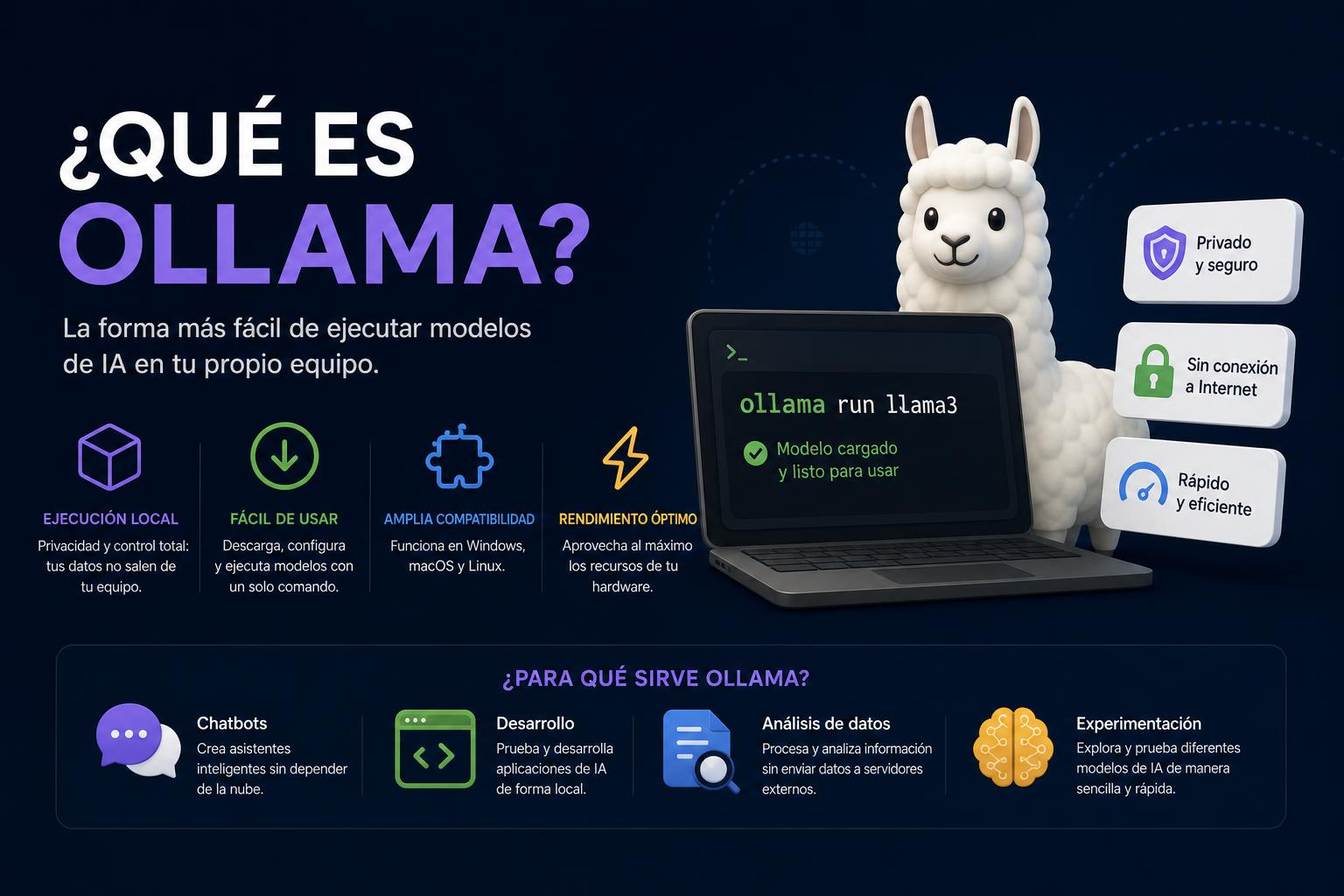
- Ollama allows you to run open-source AI models directly on your local computer.
- It offers privacy, personalization, and total data control, without relying on the cloud.
- It includes integration with APIs and graphical tools, facilitating different use cases and development environments.
Local artificial intelligence is no longer a utopia reserved for large corporate laboratories, and thanks to tools like Ollama, access to advanced natural language models (LLM) no longer requires complex infrastructure or dependence on tech giants. It's increasingly common to hear developers, companies, and individuals talk about Ollama as a facilitator of local AI, with advantages in privacy, control, and personalization.
In this article, you'll learn what Ollama is, how it works, which models it supports, its applications, requirements, and advantages. You'll also discover how to get started and how it can be integrated into your daily workflow, paying particular attention to the security and flexibility it offers in modern environments. Keep reading because Ollama might be exactly what you need to make the leap to localized artificial intelligence.
What is Ollama?
Ollama is an open-source platform that allows you to download, run, and manage large language models (LLMs) directly on your computer, without relying on the cloud or exposing your data to third parties. With Ollama, you can work with various AI models optimized to run on personal hardware ( whether you're a Windows, macOS, or Linux user ), eliminating the need to subscribe to remote services like ChatGPT or Gemini.
Its main advantage lies in privacy and control: data, prompts, and results never leave your local environment. It's one of the most accessible tools for users who want to experiment with advanced AI from their own computer, without commercial restrictions or recurring costs.
How does Ollama work and what is its architecture?
Ollama's core functionality is both simple and powerful: it acts as a universal client for LLMs, managing both model downloads and local deployment. Installing Ollama provides a self-contained environment ready to run AI models, complete with all necessary dependencies, libraries, and configurations.
Ollama is primarily used through the terminal (command prompt in Windows or console in Linux/macOS). The user employs simple commands such as ollama run modelo to download and run models, but those who need it can opt for visual environments such as Open WebUI for interaction via a more traditional graphical interface.
When you run a model with Ollama, once downloaded, all processing is done on your device. You can type questions, prompts, or instructions in the terminal, and the model responds instantly, taking advantage of your hardware's speed and capabilities.
What models does Ollama support?
Ollama supports a wide library of open models, specially selected and optimized for local execution. The selection is varied, primarily text-based LLMs, but also multimodal, programming-oriented, scientific, and others. Some of the most in-demand models currently are:
- Call 3 and Call 3.2Advanced Meta models, ideal for generating conversational text, summarymachine translation and complex NLP tasks.
- Mistral: High performance in data analysis, code generation and pattern interpretation, perfect for AI developers.
- Qwen 2.5 and Qwen 3: Flexible multilingual models, with specific versions for visual tasks (VL) and advanced integration.
- DeepSeek-R1It stands out for its MIT license and commercial use, ideal for those looking to modify or adapt models with complete freedom.
- GemRecommended for conversation tasks and virtual assistants.
- Code LlamaSpecialist in code generation, review and suggestions in various programming languages.
- LAVA: Oriented towards multimodal applications (text and image), visual responses and creation of automatic descriptions.
- Phi-3 and Phi-4Focus on scientific tasks and academic support, useful for research, paper summaries, analysis and modeling of complex data.
Furthermore, the list of compatible models grows every week, and you can even integrate your own models as long as they are exportable in the supported formats. You'll find the updated catalog in the Ollama model library.
Advantages of using Ollama compared to other platforms
The differences between Ollama and other LLM platforms, especially cloud-based ones, are notable:
- Total control and privacy: Everything you run stays on your computerwithout the risk of leaking confidential data or having to rely on external servers. For sectors such as healthcare, legal, research, or companies subject to regulations, this can make all the difference.
- You don't depend on the internet or third parties: It continues to work even if the connection fails or providers change terms. It's completely independent.
- Reduced costs: No subscription fees or usage fees, beyond the investment in your local hardware.
- Personalization and freedom: You can modify existing models, adjust parameters (temperature, top_p, etc.) and fine-tune behaviors for each use case, without limit.
- True cross-platform support: Ollama is available for Windows, Linux, and macOS. It even works on virtualized environments, Docker, or VPS for scalable solutions.
- Community access and continuous improvements: Thanks to its open source nature, the community constantly updates and expands its features. There are forums and resources available to ask questions and share usage patterns.
Ollama, unlike centralized commercial services, puts the user at the center and empowers them to decide how, when, and where to use AI.
Technical requirements and hardware considerations
The hardware required to get the most out of Ollama depends primarily on the type and size of the model you want to run. While there are lightweight models suitable for most modern computers, others (such as those with more than 13B parameters) require more processing power.
The bare minimum:
- Modern processor (Intel 11th gen or AMD Zen4 recommended for full AVX512 support, although not mandatory in small models).
- RAM: At least 8GB for basic models. However, for a smooth experience and mid-range models, 16GB is the optimal reference.
- Storage space: 4-20GB per modelDepending on the family, and even more if you work with multiple models or supplementary databases, an SSD is ideal.
- GPU: Not mandatory in all scenarios, but recommended. Some tasks and models benefit from a dedicated GPU (NVIDIA or AMD), especially in demanding projects or chatbots with instant responses. The required VRAM also increases with the size of the models: 7B models may require 4GB in 4-bit, 13B models require 8GB, and so on.
On powerful systems you can handle larger models and even work with MoE (mixed experts) databases or complex visual tasks.
How to install and start using Ollama
Step 1: Download and preparation
The installation is quick and adapts to the operating system.
- On Windows and macOS: You just need to download the official installer from the Ollama's website or on GitHubRun the “setup” and follow the simple instructions.
- On Linux: Simply launch the command in the terminal
curl -fsSL https://ollama.com/install.sh | shand ready. - For those who want advanced options, Ollama makes deployment easy using Docker containers. This allows you to isolate your environment and even test functionality without installing anything directly on your host.
Step 2: First Commands and Model Execution
Once Ollama is installed, you can start its service and begin working from the terminal:
- Check versions and verify the installation with
ollama --version. - Browse available models in ollama.com/search and choose the one you want.
- Launch a model with
ollama run modeloIf it's the first time, the system will download it and from then on it will be ready for instant access.
The interaction is direct: once inside, type prompts, questions or instructions and observe how the model responds in your terminal or graphical interface if you use Open WebUI.
Customization and training of models in Ollama
One of Ollama's strengths is its ability to customize how the AI model behaves. You can create configuration files where you set parameters such as "temperature", "system" (initial context), "top_p", or "top_k", thus modulating the creativity, coherence, or tone of the responses.
Unlike many closed systems, you can modify these parameters on the fly, save different configurations, or even start from a base model and fine-tune it if you have more advanced knowledge.
All of this allows AI to be adapted to specific tasks, characters, specific response styles, or even to the company's requirements for internal tasks.
Integration and API options
Ollama isn't just useful for interacting from the terminal: it has a fully documented HTTP API that allows you to leverage its models in your own development projects. Whether you're adding AI to enterprise applications, analytics tools, chatbots, virtual assistants, or automated processes, Ollama integrates via API and its powerful CLI (command-line interface).
The community has created and published dozens of plugins, connectors, and examples to integrate Ollama with code editors, content management systems, CRMs, development platforms, etc. on GitHub.
Ollama use cases: from research to cybersecurity
Ollama has found a place in academic research, businesses, and in sensitive areas such as cybersecurity.
- Creating local chatbots: Companies and individuals are developing fully private conversational assistants, with no risk of data exposure.
- Offline research: Universities and scientists can analyze, summarize, and explore large datasets, papers, and scientific literature, guaranteeing the required confidentiality.
- Automation and productivity applications: From report generation, automatic translation, answer suggestions, and documentation writing to automated big data analysis.
- Secure software development: Thanks to models like Code Llama, Ollama can help detect vulnerabilities, fix bugs, and review source code without exposing the repository to third parties.
- Cybersecurity: Ollama is used to analyze logs, simulate attacks, write forensic reports, process large volumes of information, automate incident response, and strengthen authentication through behavioral models.
- Training and education: It allows trainers and students to experiment with real AIs, develop teaching materials on the fly, and simulate attack/defense environments with complete security.
- Integration into business workflows: From content recommendation, CRM task automation, integration into corporate tools, and natural language queries to business databases.
This versatility makes Ollama a key tool for both large organizations and small developers seeking flexibility and absolute control of AI.
Key differentiators compared to other AI tools
What makes Ollama unique compared to popular services like ChatGPT, Gemini, or other cloud systems?
- 100% local execution without intermediariesNo data leaves your system, essential in scenarios of maximum privacy.
- Compatibility with optimized and lightweight modelsYou can select models adapted to the hardware, which is essential to get the most out of personal computers, not just high-end servers.
- Open Source PhilosophyAll models, software, and configurations can be audited, customized, and integrated into any project without paying for licenses or depending on third parties.
- Open access to the community and continuous evolutionThe forums, integration platforms, and the official repository itself are rapidly adding resources, guides, and improvements.
Furthermore, its ease of installation and gentle learning curve mean that you don't need extensive technical knowledge to get started, just a desire to experiment.
Tips and best practices when using Ollama
- Check the requirements for each model before downloading itSome may require more RAM or GPU than your computer has. Always check the data sheet.
- Take advantage of parameter customizationExperiment by modifying temperature, top_p, and other values to adjust the model to your style or purpose.
- Integrate Ollama into existing workflowsThanks to the API and CLI, you can connect it to code editors, servers, CI/CD pipelines, and even external AI frameworks.
- Test with Docker before installing in productionIf you have doubts or want to avoid modifications to your main equipment, containers facilitate quick and safe testing.
- Secure your data and modelsAlthough everything remains local, it creates backups of your configuration and custom models.
Frequently asked questions and myths about Ollama
- Can a model be customized in Ollama? Yes, both by adjusting parameters in the configuration file and by fine-tuning its training if you have the appropriate knowledge.
- Is it better than ChatGPT or other cloud-based AI? It depends on the use case: for privacy, local experimentation, extreme customization, or offline work, Ollama is clearly superior. If you're looking for the latest model without worrying about local resources, a cloud service might suffice.
- Can I use Ollama on remote servers? Of course, whether on VPS solutions, Docker or on your internal network, facilitating collaborative work.
- Are there any security risks? Regarding data protection and privacy, Ollama is one of the most secure environments, although it is advisable to follow standard software maintenance and update practices.
The emergence of Ollama has democratized access to advanced language models and has allowed any user, with basic or advanced knowledge, to experiment with, integrate, and control AI in their personal or professional environment. Its rapid installation, variety of models, easy integration, and, above all, its privacy and control guarantees, have made it a leading alternative to traditional cloud platforms.