
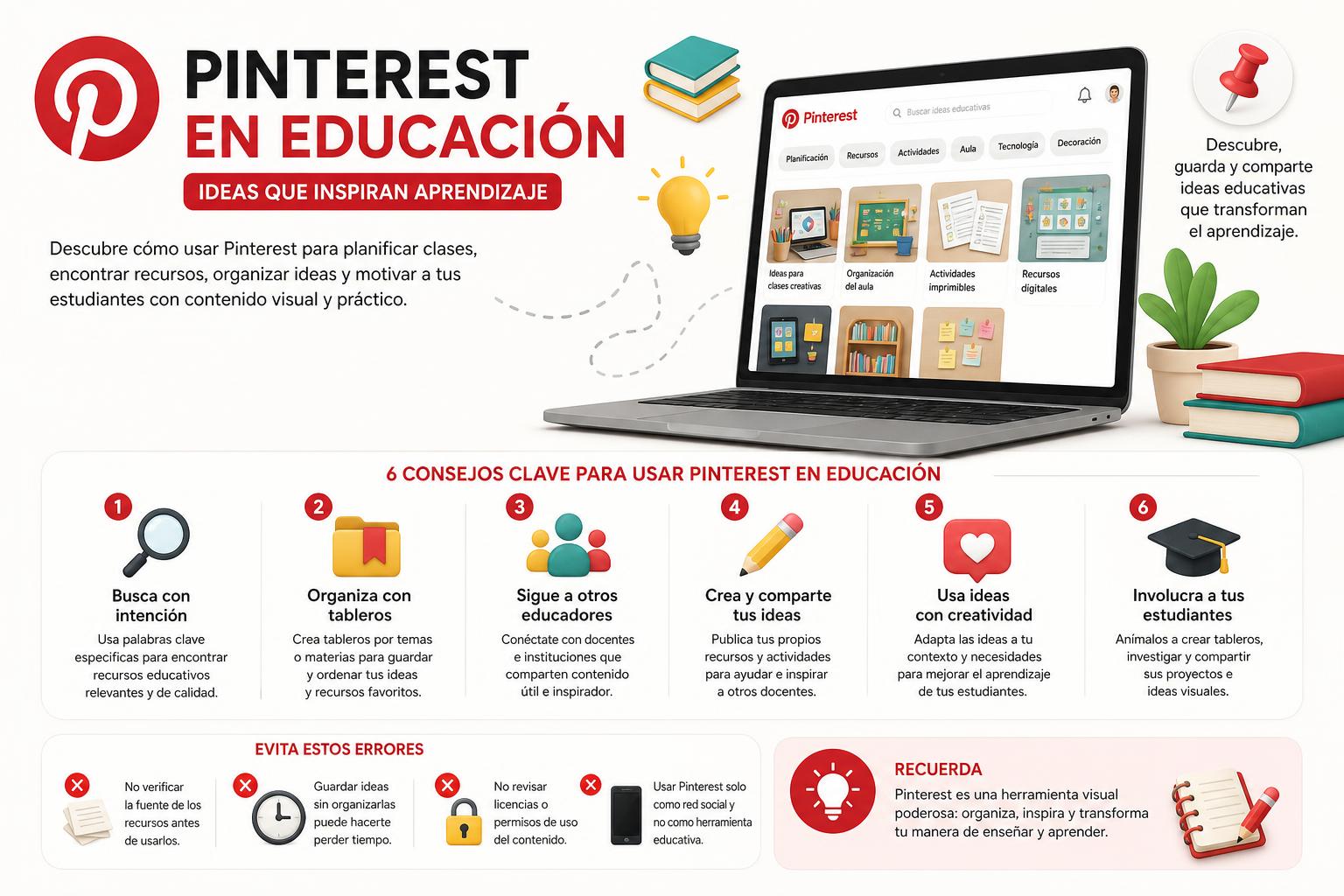
- Discover how Pinterest It allows you to organize, share and find educational resources visually and collaboratively, going far beyond a simple digital mural.
- Learn key terminology, practical tips, and real-world examples to integrate Pinterest as an educational tool at any educational level.
- Learn how to harness the power of content curation and strengthen skills such as creativity, organization, and teamwork with Pinterest.
Pinterest has been gaining ground in the digital lives of millions of users. What began as a site for sharing images and discovering creative ideas is now establishing itself as a powerful ally in dynamic fields like education. Teachers and students worldwide have found in Pinterest a digital space to find inspiration, organize information, and share educational resources in an engaging and visual way . However, there is still some lack of awareness about the true potential this social network offers in the educational environment.
Throughout this article, we'll explore in depth how Pinterest can transform classroom work, boost creativity, foster collaboration, and address the needs of today's learning. We'll see what Pinterest can do in education, how to use it step by step, what benefits it offers, and some of the best ideas and tips for implementation at different educational levels . Let's get started!
What is Pinterest and why is it gaining popularity in education?
Pinterest is a social network centered around sharing and organizing visual content on themed boards . Founded in 2010, it now boasts over 150 million users worldwide. While most people associate Pinterest with recipes, fashion, or home decor, it has become a go-to tool for finding, saving, and sharing useful resources in any field, including education.
Its success lies in its simplicity and versatility : any teacher, student, or educational institution can create themed boards, share images, videos, links, infographics, and organize materials of interest. It's something like a "digital corkboard" or virtual scrapbook that blends creativity, organization, and collaboration in a novel way.
Instead of the typical scattering of resources found while browsing the internet, Pinterest allows you to gather everything relevant to teaching in one place, in a visual and engaging way . Furthermore, the authorship of shared content is always visible, promoting respect for copyright and the attribution of sources , which adds value from both an ethical and pedagogical perspective.
Essential Pinterest Terminology
- BoardThis is the space where all kinds of pins (images, videos, links, etc.) on the same topic are "pinned." It's like the traditional classroom corkboard, but in a digital and shared format.
- PinThis refers to each of the visual elements that you can save or share on a board. It can be an image, an infographic, a video, or a link to a specific website or educational resource.
- repin: When you save a pin uploaded by someone else to your own board, growing the network of shared resources.
- PinnersThis is the term used to refer to active Pinterest users, both those who create content and those who collect and share it.
Navigating and participating on Pinterest is very intuitive. Even students are usually surprisingly adept at it and can help classmates or teachers who are just starting out on the platform.
How can Pinterest be used for a class or educational project?
Using Pinterest for educational purposes is much simpler than it seems. The basics are creating an account—personal or for an educational institution—and starting to set up themed boards. These boards can be organized by subject, area of interest, specific projects, or even one-off activities within the course.
For example, in a history class, a board could be designed for each relevant period or figure, where students add images, articles, short videos, infographics, or famous quotes. The key is to make it easy for students to collect, organize, and share information while developing digital skills, critical thinking, and creativity.
- Create a class boardThe teacher enables a digital space where, for example, student work, recommended links for the subject, explanatory videos and any resource useful for following the subject are added.
- Assign research boardsStudents can be asked to create their own thematic board about a subject of study (example: monuments of a city, historical figures, scientific experiments, etc.) and share relevant content there.
- Collaborate on group projectsPinterest allows collaborative boards where multiple users add ideas, images, and resources, making it ideal for interdisciplinary projects and cooperative dynamics.
Advantages and benefits of Pinterest in the educational environment
What sets Pinterest apart from other social media platforms is its focus on visual content and its ability to organize information, ideas, and resources in a simple and intuitive way . Let's look at some of its most notable benefits:
- Efficient organization of materialsBy grouping resources into thematic boards, dispersion is avoided and quick access to relevant material is facilitated, saving time for both students and teachers.
- It fosters creativity and visual thinking.Learning through visual content helps to better understand and integrate concepts, stimulating creativity and personal expression in students.
- promote collaborationPinterest facilitates interaction between peers and with teachers, allowing sharing, commenting and discussing resources and projects.
- Supports content curationA fundamental skill in the digital age is knowing how to select, filter, and organize information. Pinterest makes this curation fun and natural.
- Enhance learning autonomyBy allowing students to participate in the search and organization of information, an active and autonomous attitude towards learning is fostered.
Innovative ways to use Pinterest in teaching
- Gather ideas and useful linksIt is a perfect solution for teachers looking for inspiration or to group together teaching proposals, infographics and articles of interest to plan their classes.
- Student visual diaryStudents can document their progress, express how they feel, or organize photos of their projects and activities, thus developing creative and self-expression skills.
- Creating visual listsStudents can be given lists such as "The 10 best monuments in my city" or "Ideas for recycling at home", asking them to find images and then share their discoveries in class.
- Boards for book reviews or resourcesStudents can create boards where they rate, comment on, and recommend readings, series, documentaries, or other resources researched during the course.
- Curation and adaptation of infographicsPinterest is a goldmine of infographics. Teachers and students can collect, translate, modify, or enrich infographics from others and also practice visual synthesis skills.
Practical tips for integrating Pinterest into the classroom
If you want to get the most out of Pinterest as an educational tool, keep in mind some essential tips and considerations :
- Review the center's social media policyBefore opening a group account or suggesting students join Pinterest, check that it is allowed and ask for permission from families if necessary.
- Select your priority topicsStart by following existing boards for education, science, history, art, etc., for inspiration. Then create your own boards and organize the information according to the interests and needs of your classroom.
- It encourages active participation and collaboration: Invite students to actively contribute by following other classmates' boards, sharing their findings, and developing new resources.
- Educate about attribution and copyrightIt teaches how to cite sources, give credit to images or resources used, and always respect other people's intellectual property.
- Use Pinterest as a repository of ideas and resources for classroom managementYou can find everything from classroom organization systems to strategies for promoting participation and positive discipline, sharing best practices among fellow teachers.
Concrete examples and practical applications of Pinterest in education
Below is a list of ideas and real-world examples of how to apply Pinterest in different educational contexts, from primary school to university:
- Teacher's boardThe teacher groups materials by learning units and shares links to key resources, videos, or articles for each topic with the students. This way, everyone can consult and review the materials in an organized manner.
- Monitoring of research projectsDuring the research project, each student team creates a board where they collect images, news articles, and videos related to their topic. At the end, each group can present their work using the board as a support and presentation tool.
- Visual science and art workshopsPinterest is ideal for inspiring science experiments, crafts, art experiments, or drawing techniques. It allows you to organize visual steps and share the results of each experiment with the whole class.
- Tool for teachers in trainingFuture teachers can look for inspiration, gather teaching materials, and create their own collections of resources for when they have to teach a class.
- Tracking educational trends and recommended booksPinterest is a great tool for discovering innovative methodologies, new books, videos, and resources that help you stay up-to-date and revitalize your professional practice.
- International teacher exchangeThrough Pinterest you can connect with teachers from other countries, share methodologies, exchange multilingual resources and enrich yourself with global pedagogical perspectives.
How to register and start using Pinterest in education
Signing up for Pinterest is very easy. You only need a name, email address, and password. After registering, the platform will suggest five themes to follow from dozens of categories (travel, art, education, science, etc.). Choose the ones that interest you most and even look for pre-made boards like "Pinterest in Education" or "Educational Activities" for inspiration.
In REDEM's quick guide to educational uses you can find additional examples and recommendations.
With your account created, you can now start "pinning", create new boards, invite students or colleagues to collaborate, and explore the infinite variety of resources available.