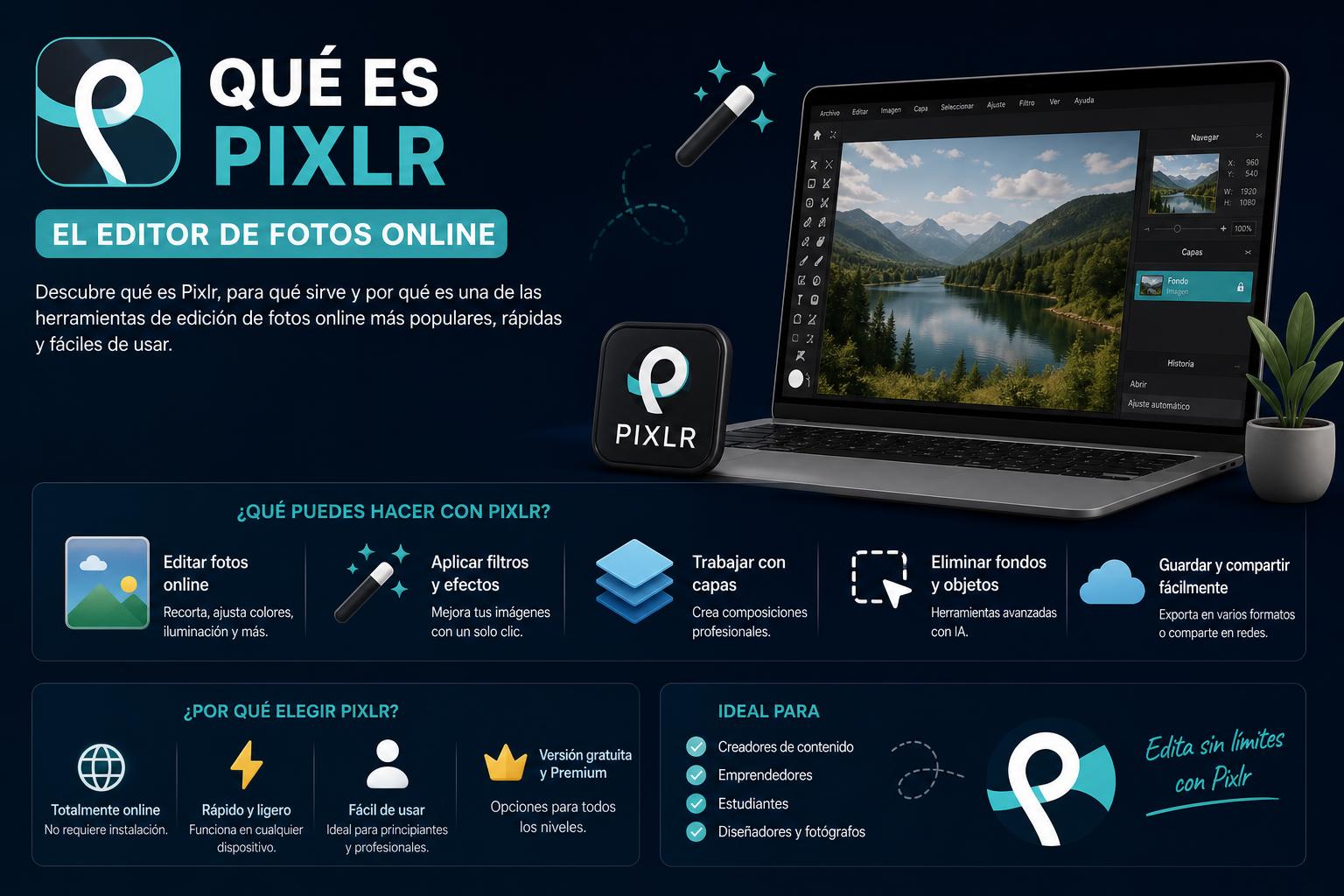
- Pixlr is an online image editing suite with powerful features and professional tools thanks to its integration of artificial intelligence.
- It offers different applications (Editor, X, Express, M) that cover everything from quick touch-ups to advanced creative work, both free and paid.
- It allows editing from any device and format, with an intuitive interface and support for layers, effects, AI, and batch editing.
If you've ever wondered what Pixlr is and how it can transform your image editing projects, you've come to the right place. In this comprehensive article, we'll break down in detail what it is, what it's used for, and why it has become one of the leading tools for online photo editing and design. We'll also tell you how the project came about, what versions are available, its key features, its advantages over other alternatives, and even how you can get the most out of it on your mobile device. If you're looking for a complete, clear, and easy-to-understand guide to Pixlr, keep reading and don't miss any of its secrets.
Whether you're a professional designer or a casual user looking to refresh your photos, Pixlr caters to everyone. From students needing to create quick compositions to businesses requiring advanced editing, or enthusiasts who enjoy retouching every image for social media, there's a version and a way to use it for you. Pixlr has established itself as a highly versatile cloud-based image editor , thanks in part to its latest AI integrations and a user-friendly interface that doesn't compromise on professional features.
What exactly is Pixlr?
Pixlr is a comprehensive, cloud-based online image editing suite designed for both novice users and those seeking professional results. The project was launched in 2008 by Swedish developer Ola Sevandersson with the goal of providing a free and powerful photo retouching solution accessible from any web browser. Initially, Pixlr focused on simplicity and speed, but it gradually expanded its toolkit to offer advanced features such as layer-based editing, cloning, curve adjustment, and compatibility with various formats, including PSD (from Photoshop), JPEG, PNG, GIF, and its own native PXZ format.
The editor is supported on both computers and mobile devices , allowing cloud synchronization and editing from anywhere, without the need to install heavy software. Since its acquisition by Autodesk in 2011, and subsequently by 123rf in 2017, the platform has continuously reinvented itself, especially since its extensive rebranding in 2019 and the integration of artificial intelligence into multiple processes starting in 2021.
Pixlr Suite and its main applications
The Pixlr ecosystem consists of several integrated applications that cover all photo editing and graphic design needs:
- Pixlr EditorIt's the online equivalent of Photoshop, with advanced options like layer editing, color correction, cropping, and all kinds of professional filters and effects. It's ideal for those looking to control every aspect of their image.
- pixlr XDesigned for quick and basic editing, with a much simpler interface. It's perfect for less experienced users who still want eye-catching results.
- Pixlr ExpressFocused on quickly adding effects, filters, stickers, frames, and creating eye-catching compositions in just a few clicks. Widely used for preparing content for social media thanks to its collage options and fast design capabilities.
- Pixlr M: mobile-oriented version, which retains many of the main functions and adds tools adapted to touch use.
Any user, from beginner to expert, will find a solution tailored to their needs . The applications can be used in their free version (with limited features) or with a paid subscription that unlocks premium tools, advanced collections of effects, templates, cloud storage, and ad removal.
Key features and characteristics of Pixlr
Pixlr's greatest strength is the incredible variety of tools it offers. Below, we detail some of the most powerful and well-known:
- Various selection tools: selection using rectangular or circular frames, lasso in all its forms (polygonal, magnetic, freehand), and the famous magic wand to select areas with a single click based on color.
- Total layer managementPixlr lets you work like in Photoshop, combining and arranging different layers that you can transform, crop, duplicate, and merge to your liking.
- Automatic cropping and masking: specific tools to remove backgrounds or cut out objects very precisely, even in complex images, both manually and automatically thanks to AI.
- Image transformations: ability to liquefy areas, correct perspective, clone, blur or focus specific areas, and adjust all color and luminosity parameters (brightness, contrast, saturation, exposure, temperature…)
- Instant effects and artistic filters: more than two million possible combinations of effects including overlays, filters, drawing styles, watercolor, poster, vintage, among others.
- Proofing tools: removes imperfections, blemishes, red-eye, or even entire objects from a photo in a matter of seconds.
- Text and fontsInsert and edit text with a huge library of fonts and styles. Ideal for creating memes, posters, stories, banners, etc.
- Templates and collagesHundreds of pre-designed templates for social media, presentations and personal or professional projects, with the possibility of customizing them down to the last detail.
- sticker maker: quickly design your own stickers using AI, very useful for branding and communication on social networks.
Furthermore, all these tools are optimized for a fast, intuitive, and uncomplicated experience designed to foster creativity. Each function typically has its own keyboard shortcut, streamlining the workflow for more advanced users.
Artificial intelligence at the service of creativity
One of Pixlr's biggest recent revolutions is the integration of artificial intelligence features into numerous editing processes. These implementations greatly simplify the user experience, taking care of the heavy lifting with just a couple of clicks. Among the most impressive options are:
- generative assistantYou can ask the AI for all kinds of creative changes to an image (such as changing a sky, modifying seasons, transforming backgrounds…); the artificial intelligence tries to interpret your wishes and apply them automatically.
- AI generative fillerSimply select an area and type what you want to see there, and the AI generates the appropriate image for that space. It's very useful for removing objects or creating amazing collages.
- Smart Background RemovalWith just one click, AI cuts out the background with amazing precision, even in complex images with hair.
- Generative transformation: allows you to manipulate elements of the photo (move, scale or rotate), relocating them without the trick being noticeable.
- Super-resolution and sharpness enhancementBlurry, pixelated, or low-quality images can be automatically enlarged and enhanced, which is a plus for professional work or printing.
- Automatic face swap: instantly and realistically transforms any user into whoever they want (superhero, friend, celebrity…).
Thanks to AI, Pixlr improves productivity and allows anyone to achieve professional results without extensive technical knowledge. Furthermore, these features are constantly evolving and frequently updated, keeping pace with the latest industry advancements.
Compatibility and supported formats
Pixlr doesn't impose any limitations on file compatibility or the devices you can work from. You can open and save images in classic formats like JPEG, PNG, BMP, GIF, or TIFF, as well as work comfortably with PSD files (native to Photoshop) and Pixlr's own format (PXZ/PXD) to preserve all layers.
Different Pixlr plans and prices
The Pixlr platform caters to both those seeking a free solution and those needing a complete professional editing package. It offers the following plans:
- Free: free version, with access to most essential features but with ads and some limitations on image export and access to certain tools.
- Premium: adds advanced features, a wider variety of graphic resources, ad removal, and cloud storage.
- Creative Pack: the most complete package, geared towards businesses and intensive creators, with unlimited access to all resources, priority support and exclusive updates.
Each subscription can be paid weekly, monthly, or annually, and prices vary depending on current promotions and the store where it is purchased.
User experience: interface and usability
One of the strengths that Pixlr users value most is the ease of use of its interface : everything is organized in intuitive menus, the tools are always at hand, and the workspace prioritizes the visibility of the image you are editing.
Access to templates, frames, collages, and special effects is immediate, and many visual and workflow parameters can be customized to tailor the editor to your preferences . This allows both Photoshop users and those who have never edited a photo before to quickly feel comfortable.
A particularly interesting feature for advanced users, brands, and agencies is batch editing , recently introduced. It allows you to upload and edit up to 50 images at once, which is very useful for maintaining consistency across large campaigns or updating galleries in multiple formats and sizes.
The social media integration is also very well done. You can directly export your creations to Instagram, Facebook, TikTok, Twitter, via email, and many other platforms, or store them in Pixlr's cloud storage to share them with your team or download them from any device.
History and evolution of the project
Pixlr's journey has been fascinating. From its founding in 2008, through its acquisition by Autodesk in 2011 (driving its global expansion and technical improvements), to its current ownership under the 123rf umbrella since 2017, the suite has undergone several stages of evolution.
In 2019, Pixlr underwent a major overhaul, introducing Pixlr X, Pixlr E, and Pixlr M, along with the launch of NFT collections and a virtual digital art museum called Pixlr Genesis, featuring over 10.000 AI-generated artworks. These developments reinforce Pixlr's position as more than just a photo editor; it's becoming a global leader in digital art and AI-powered creativity.
Differences between Pixlr Editor and Pixlr Express
If you're unsure which version of Pixlr to choose, here's a quick summary : Pixlr Editor is designed for those seeking a complete editing experience, with over 25 professional features, a focus on working with layers, and advanced resources. In contrast, Pixlr Express is agile, versatile, and designed for quick edits—ideal if you want to apply effects, frames, collages, and make simple changes in minutes.
Both versions are connected, and you can switch between them depending on the type of retouching you need to do. This positions Pixlr as a lightweight, powerful, and accessible alternative to programs like Photoshop , especially when it comes to image editing for the web or social media.
Tips, tricks and creative potential of Pixlr
There are many tricks and small features you can use to get the most out of Pixlr:
- Automatic adjustment (Autofix)If you're unsure how to improve your photo, let the automatic adjustment enhance the image in one click.
- Easily rotate, scale, and crop images to change the perspective or get rid of unnecessary areas.
- Double exposure: Combine two overlapping photos for artistic and creative results worthy of Instagrammers or magazine covers.
- Heal and smooth images: removes imperfections or smooths pixels for perfect portraits.
- Borders, stickers and overlaysAdd themed frames or fun stickers, change the atmosphere with overlays, or experiment with vintage and creative filters to give a unique touch to each image.
- Specialized tools for selfiesIt corrects red eyes, softens skin, eliminates pimples, or even whitens teeth very quickly.
- Easy organization using favoritesSave your favorite effects and resources to have them always at hand and save time on future projects.
On Pixlr's official blog, Instagram, and other social media channels, you'll find weekly challenges, news, and tutorials that will help you keep learning and constantly trying out new features.
Why choose Pixlr over other online alternatives?
Pixlr's main advantage is its balance between power and simplicity. It requires no installation, runs in the cloud, is free in its basic version, and offers features that other editors only offer in paid versions. It has all the essential tools of a professional program, such as layer management, sophisticated effects, and compatibility with multiple formats , but makes it accessible to everyone, without price or technical skill barriers.
In addition, the community surrounding Pixlr is very active and allows you to constantly find inspiration, support, and free resources.
Pixlr is much more than just an online photo editor : it's a creative suite that adapts to any experience level and a multitude of devices. Thanks to its power, ease of use, AI integration, and frequent updates, it has become a global leader in digital editing and design. Whether you want to quickly retouch an image or need professional tools for your projects, Pixlr offers a flexible, agile, and comprehensive solution, available from its official website or major app stores. Give Pixlr a try and discover everything you can create.
Moodle: Everything you need to know about the leading online learning platform