
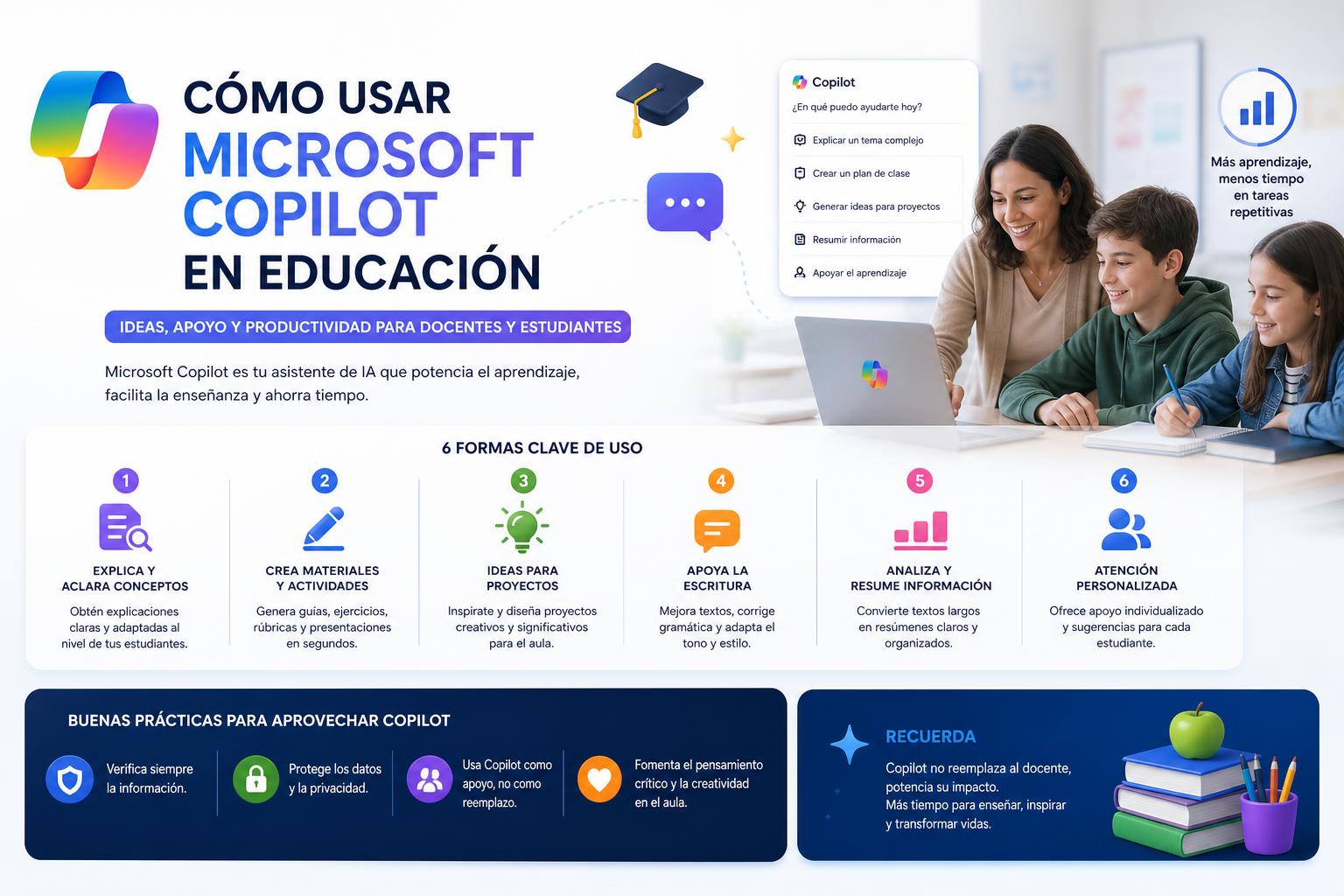
- Microsoft Copilot integrates generative AI to transform education, helping in the creation and personalization of content.
- There are several versions of Copilot adapted to different profiles and educational needs, from the general user to institutions with a strong digital infrastructure.
- Grounding and gradual integration into educational platforms ensure accuracy, data protection, and contextual relevance for teachers and students.
Artificial Intelligence (AI) has made a powerful impact on the world of education, changing how teachers and students interact with learning and technology. Within this ecosystem, Microsoft Copilot has positioned itself as one of the most innovative solutions for transforming the educational experience . However, its integration and the options it actually offers can raise questions among teaching staff, students, and technology managers at educational institutions.
This article clearly and practically breaks down everything you need to know about Microsoft Copilot in the educational environment : from what it is and how it works to its multiple applications, how to access it, available versions, integration with other common classroom tools, and tips for making the most of all its possibilities without neglecting key aspects such as security and the ethical appropriateness of using AI in academia. If you are a teacher, student, or ICT manager in education, here you will find all the essential information to discover and get the most out of this innovative tool.
What is Microsoft Copilot and how is it changing education?
Microsoft Copilot represents a new generation of AI-powered assistants that are transforming how classes are planned, delivered, and received . Its technology is based on generative AI (GenAI) models, specially trained to generate text, images, or even code, capable of understanding natural language and adapting to different educational contexts.
Copilot acts as an intelligent assistant for both educators and students, facilitating the creation of lesson plans, teaching materials, quizzes, rubrics and summaries, as well as providing personalized support to students outside of regular hours.
- Personalization of learning: It allows adapting the content and presentation of topics to the needs and learning styles of each student.
- Task simplification: It automates activities that used to be repetitive or time-consuming, such as correcting exercises, generating study materials, or answering frequently asked questions.
- Extended support: It provides 24/7 support, helping students progress at the pace they need.
Copilot's flexibility and ability to integrate into the educational workflow is enabling both teachers and management teams to gain productivity and reduce the administrative burden, allowing them to truly focus on teaching and learning.
Available versions of Microsoft Copilot for education
Microsoft Copilot has several modes adapted to different contexts and needs within the educational community :
- Copilot for Microsoft 365: It integrates directly into the most popular productivity applications such as Word, Excel, PowerPoint, Outlook, and Teams. This version requires an active subscription and is specifically focused on improving workflows based on the organization's own data and files.
- Copilot Pro: A premium subscription geared towards advanced business or educational environments, with priority access during peak hours, expanded functionalities and support for more complex tasks based on models such as GPT-4 and GPT-4 Turbo.
- Microsoft Copilot free: Designed for general users, accessible via Windows, Microsoft Edge or Bing. It offers basic AI functions, although without the specific integration and customization capabilities. from previous versions.
It's important to remember that any user, from teachers and administrators to students, can find a plan that suits their resources and needs . To get the most out of its educational features, it's essential to have a suitable Microsoft 365 subscription and verify that the account is enabled for Copilot.
Generative Artificial Intelligence within Copilot: how it really works
At the heart of Copilot is Generative Artificial Intelligence (GenAI) . This technology is not only capable of analyzing data, but can also create original content from instructions or requests in natural language, in both text and image formats, summaries, coding routines, and other educational resources.
- Large Scale Language Models (LLMs): Copilot uses models like OpenAI's GPT-4 to understand and produce coherent and relevant text for the educational context, transforming complex questions into understandable answers or clear summaries.
- Examples of use: generating practical exercises, writing exceptional and personalized materials for different levels, creating objective rubrics or automatic answers to frequently asked student questions.
- Other relevant models: In addition to GPT-4, there are alternatives such as PaLM (Google) or LLaMA (Meta), which allows for the development of increasingly advanced and contextualized generative AI applications for the education sector.
A key aspect is that generative AI learns from large volumes of educational data and seeks to produce useful, original results tailored to each situation . This represents a qualitative leap compared to previous technologies that only served to automate simple tasks.
Grounding: Ensuring Accuracy and Relevance in Educational AI
For Copilot and generative AI to be reliable in education, a technique known as "grounding" is used . This means that the AI-generated responses and content don't come from nowhere , but are based on verified data, real educational information, bibliographic references, industry-specific databases, and real-time updated knowledge.
There are multiple methods of grounding:
- Use of specific data from the educational domain (reports, academic papers, curriculum standards, etc.).
- Connection with factual origins (official documentation, verified databases, reliable real-time sources).
- Adaptation to the user's intent and contextFor example, differentiating whether the request comes from teachers, students, families, or administrative staff.
In this way, Copilot's responses aim to be much more precise, practical and actionable , adapting to each educational situation and reducing the margin for errors or misinformation.
Copilot applications and success stories in education
Over the past few years, the adoption of AI and Copilot in the education sector has experienced significant growth . According to recent data, in Spain almost 70% of teachers have used AI technologies in the classroom, more than 60% of students have used them in their learning, and around half of academic leaders use them daily in educational management.
However, there is still a clear need for training, support, and resources for teaching teams to make the most of AI ethically and safely . To address this challenge, Microsoft 365 Copilot offers concrete solutions that are helping to change the dynamics in schools and universities :
- Teach: A lesson planning assistant that allows teachers to create plans, customized materials, and assessments tailored to students' levels, difficulty, and educational standards. This tool speeds up lesson planning, frees up time, and eliminates the monotony of repetitive tasks.
- Study and Learn: An intelligent agent for the student that provides practical exercises, self-assessment activities and guided study, available in preliminary version from the end of 2025. It facilitates autonomy and personalization of the learning process.
- Copilot Chat: Direct integration into applications like Outlook or PowerPoint, which allows not only streamlining email management and presentationsbut also to ask questions, receive feedback and access personalized resources within the normal flow of academic work or educational administration.
- Integration with learning management platforms (LMS): From 2025, Copilot will be integrated into common systems such as Canvas, Schoology, Brightspace, Blackboard, or Moodle™, expanding the possibilities for automation, personalization, and analysis in educational management.
These specific use cases demonstrate how AI and Copilot are enabling teachers to focus on their creative work, provide more inclusive and agile support to students, and significantly reduce their administrative workload.
Access, requirements, and troubleshooting common problems
One of the most frequently asked questions is how to properly access Microsoft Copilot with an educational account , as well as any difficulties you might encounter when using it in Microsoft 365 applications.
- Ages and permissions: Copilot is currently available to higher education students, generally over the age of 18, and to properly enabled educational accounts linked to active Microsoft 365 subscriptions.
- Visibility in applications: If the Copilot option does not appear in Word, Excel, or PowerPoint, make sure you are using the correct account and subscription, and that you have the appropriate desktop versions.
- Guidance and help: If you encounter difficulties, the most effective solution is to consult the official Microsoft support community or the dedicated help center for educational institutions. Many issues can be resolved simply by reviewing account assignments and product activation policies within the educational environment.
The process of activating and using Copilot is becoming increasingly documented and accessible, but it still requires attention to administrative and technological details.
Promoting training, inclusion, and ethics in the use of AI
While the benefits of Copilot are clear, the responsible and effective adoption of AI solutions presents significant challenges for the education sector . Teaching teams are showing increasing interest in receiving technical guidance and, above all, specific training to use AI ethically, safely, and effectively.
Some critical points are:
- Guaranteeing privacy and data protection of students and teachers, through clear controls and appropriate configuration of the tools.
- Integrating AI to support teachingnever as a substitute for professional judgment or human interaction in the classroom.
- Avoid bias and ensure transparency in content generation, reviewing the sources and monitoring the proper use of AI resources.
- Offer ongoing training both teachers and students to maintain digital confidence and competence as technology evolves.
Future opportunities and resources for implementing Copilot in educational centers
AI and Microsoft Copilot open up a range of possibilities for fostering more inclusive, efficient, and personalized learning environments . Their ability to integrate with common tools, advanced data protection, and natural workflow are facilitating the adoption of AI by teaching teams of all ages and digital skill levels.
Some official resources and links that can help you learn more about or implement Copilot in your center:
- Copilot's official website in the educational field.
- Practical guide for managers and teachers with steps to integrate generative AI effectively and securely.
- Adoption resources and use cases current ones to promote the digital transformation of education.